Monday, January 7, 2019

How to filled up your Form for the Correction of Name in NRC Assam-NRC Name Correction In NRC Assam-Correct NRC


How to filled up your Form for the Correction of Name in NRC Assam.

NRC Assam has been started to filling up online form for the correction of Name which came in the Final Draft or Part draft In Assam. So To We are going to show you how to filed up the form online with Picture.

Step 1-


i.                     Go to the Link which has given below-


ii.                   Now look for the the Link which says for the link of correction of Name in NRC.

iii.                  Now click on the Acknoledgement which is showing below

iv.                 Now Click on the Registration


v.                   Now enter your Application Recipt number (ARN)

vi.                 ENTER The Captcha

vii.                Click on Validation


viii.              Now enter you Legacy Data Code


ix.                 Now click on Validate


Step -2
i.                     Now filled up your Form


ii.                   After all you have to Make Password of your Choose ( there Should have to take Atlest one Number , one Capital Letter, one Small letter and One Symbol)

iii.                  After all Click on Generate OTP

iv.                 Then Enter the OTP
Step-3
I.                    You  have to go to Login sector


II.                  Now enter the Mobile Number which you used before

III.                Now enter the Password

IV.                Now You have Logged in

V.                  Click on Proceed


VI.                Now fill the form and see the members of you
VII.              Now choose the Member and Click below
VIII.            Then Confirm


IX.                After completing You can generate a Receipt
X.                  After that final submit
XI.                Then click on ‘YES’
XII.              Then you will get a receipt no on your registered mobile
XIII.            And print the number from the display for further needed
This was the process of Correction of your name in NRC assam.  

Sunday, January 6, 2019

Learn Professionally Microsoft Power point and Animation- MS- Power Point Animation Learn Easily for free


Microsoft power point is a complete presentation graphics program that always you to create professional presentation A PowerPoint  presentation is also known as a slide show. Using power point gives you the flexibility to make presentation using a project device attached to a professional using over head trans presentation. In addition you can take advantage of the word wide web and run virtual presentation the internet.


·          Slide the basic building block of any power point presentation is the slid, a slide will normally be produced and enter portrait fo landscape layout an any one of a number of paper format suitable for the produced. Slides can also be formatted fro either an “onscreen” format or a format suitable for the production of man transparencies. In addition there is a blamer option for use with web page. Slides can contains files , body text, drawing object, charts, objects and sharps clipart, movies, sound and themes.
·         Presentation:- a series of slides ground together is referred to as a presentation and all the individual slides are stores within a single presentation file.


·         Power point views:- normal view, slide shorter viewer, the three main views of power point. The made in which the presentation displays on the screen called a vie. You may use any or all views when creating a presentation but you can use only one at a time. You can also select on e of these view to be the default view. One can change view by clicking one of the view by buttons located at the lower left-of the power point window above the drawing toolbar. The displays depends on the views you want to present. They can be either being textual or graphical desired.

·         1/ normal view:- the main editing vie in which you use to write and  deign your slide is called the normal vie there are three worker areas in this view. On the left three are two tab, normally the outline tab and the slide tab. The slide pen is one the right slide of the slides tab. The notes pan is at the button of the window. Outline tab:- this views displays the text content of the slide in outline form. Slide tab:- it displays all the slide in the presentation as thumbnails. A thumbnail is nothing but a preview of the slide in a smaller size. You can rearrange add or delete slide. Slide pane:- it displays a larger view of the current slide. You can add text, insert picture, tables, charts, drawing object, text books, movies, sounds, hyperlinks and animation.

Note pane:- in this pane you can add notes that related to the content in the each slide and use them in printed form to rester to as you vive your presentation, or create notes that you want your audience to see either in printed forms  or on a web page.
2/ slide sorter view:- this view displays all your slides in thumbnails form. When you have finished creating and editing your presentation this view gives an over all picture of the slide. This allows you to reorder the slides, add new slide, delete exiting slide and preview effect apply to the slides .
3/


Silde show view:- it displays slides in full screen mode. when you use this vie; the power point windows not visible and each slides occupies the complete screen area. In this full screen view you see your presentation view. The way your audience will you can see your presentation the way your audience will. You can see how your graphics☝ timings movies, animation. Elements and transition effect will look in the actual show, while viewing the presentation to move to the next slide in the show you can click on the current slide. You can keep clicking on the slide to view the entire presentation.


·         To create presentation with deign template:-

1.       Click on the slide deign button on the formatting toolbar. The slide deign task pan will be displayed.
2.       Click on the down scroll arrow to scow through the visit of deign template in the drivable for use area.
3.       Click on one of the template with your mouse.


·         To change the background color of a slide:-

  1. 1.        Click on format menu
  2. 2.       Click on background form the background dialog box will appear.
  3. 3.       Click on the down arrow of color rectangle.
  4. 4.       Click on the color you want to use as a background. You can select either more color or fill effects to give separate background effects to your slide.
  5. 5.       Click on apply to change the background color of the current display slide or click on apply to all to change the background color of all the slide in your presentation.
  6. 6.       To remove the background  color click on automatic in step-4
  7. ·         To add new slide to a presentation by slide layout>-


1.       Click on new slide button on the formatting toolbar. The slide layout task pan appears for your to choose the layout of the slide. After the little and text slide layout has been selected slide 2cf 2 is displayed on the status bar.
2.       After choosing the layout of the slide form layout task pan click on close.
·         To change the slide layouts:-
1.       Click on format menu
2.       Click on slide layout. The slide layout task pan will be appear. This area displays the available layout. You can use the scrollbar to browse through the layout.
3.       Click on the layout you went to use.

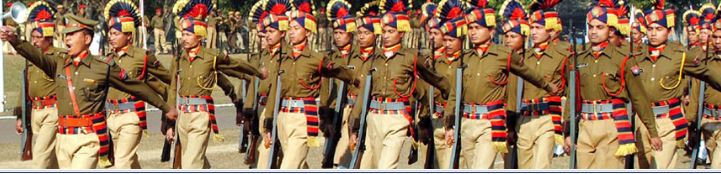
Assam Police Biggest Recruitment for Varios Posts for 2019-20 From the qualification 8th to Graduate Candiadates. Apply now


Vacancy Name –  This Post are offered by the Assam Police in State level.
There are so many posts in this Grade III and Grade IV level.  The application has been started from 3 January 2019. The posts has reservation for the PWD and Disability persons.

Description of the Job-  The superiented of Police will allowed a facility for Online application in their Office. There are different categories of the posts in this Field. Discription of the Post has been given below…
i.                    Junior Assistant :- This post provides you to apply if you are graduated.
ii.                  Khalashi
iii.                Field Khalashi
iv.                 Junior Instructor
v.                  Store Keeper (Technical)
vi.                 Pharmacist
vii.               Dresser
viii.             Workshop Attendant
ix.                 Mohurrir
x.                   Peon / Chowkidar
xi.      

Number of the Post-
1.      Junior Assistant :-not mentioned
2.      Khalashi :- 5
3.      Field Khalashi :-3
4.      Junior Instructor:- 12
5.      Store Keeper (Technical):-1
6.      Pharmacist:- 1
7.      Dresser:-1
8.      Workshop Attendant:-1
9.      Mohurrir:-1
10.  Peon / Chowkidar- 5
Job Location-  Assam
Pay Scale- 

                       
Reservation for the Post –

ST
SC
OBC
MOBC
PWD
UR


Education Qualification-
i.                    Minimum qualification is for the Post is
ii.                  Junior Assistant :- Graduate in Any Discipline.
iii.                Khalashi :- 8th passed.
iv.                 Field Khalashi:- 8th passed
v.                   Junior Instructor:- HSLC or equivalent


vi.                Store Keeper (Technical):- Hslc with ITI certificate
vii.               Pharmacist:- HSLC and diploma in Pharmacy
viii.             Dresser: HSLC and certificate in Dresser .
ix.                 Workshop Attendant:- 8th passed and ITI certificate in COPA, Sewing etc.
x.                   Mohurri :- HSSLC
xi.                 Peon / Chowkidar- 8th passed
xii.                
Other Qualification

i.                    The Candidate should be a Indian Citizen.


ii.                  The Candidate should be passed the minimum Education qualification of HSLC

Age Relaxation and Limitation
i.                    The Candidate’s age should be minimum 18 years old .

AGE RELAXATION FOR Special Categories as-

         
Application  Starting Date – 3 January 2019

Application Filling Last Date  -- 31 January 2019


Should have to Pay--


Selection Procedure -  physical fitness test, Written examination, Return test, Interview.

 Download advertisement-  https://drive.google.com/open?id=1-6h2qnDBf4z4g1C_rMJnrvGGcF59W8kO


The Top 5 Best Action Games for 2019- This Games are the best Game for this 2019-20 for Android and PC


The Top 5 Best Game for 2019- This Games are the best Game for this 2019-20


This Games are the best games  of the year 2019-20. There were most played game for the year 2018 was #PUBG but this year will be the most action game for the seassion 2019 these games below –
If you want to get full version of these Games for free then You will also get the Apps pro version free here.
Now lets go for the Games-


1.        Doodle Army 2 : Mini Militia :- This game is going in the top chart of Google play for the year 2019. This game is related with Shooting and fighting, which means this games are action game. In this game you will to join with 12 wifi and 6 users once like PUBG. There are somany shot gun including #Sniper rifle,  bombs,  flamethrower, shotgun etc.


2.        Shadow Fight -2 :- This app provides you a offers free with ads and if you want to remove ads then you will have to Parched the game and you will get the full version if for free. If you don’t know how to get full version for free then Click here. This game also a action game which provides you to fight with your enemies and kill them, and it also offers you to kill and use so many kinds of Arms. This game is nail blessing RPG game.

3.             Mobile Legends: Bang Bang:- This game also a top chart game of 2019-20’s Best game. If you like to play games in Android then you should try this game once. This games also offers you to get parched and also free with the ads. This gmes also has a good rating of 5 stars. The game also available for PC or Mobile devices. This game first started from 2017.

Link of the Game:- https://play.google.com/store/apps/details?id=com.mobile.legends


4.            DEAD TARGET: Offline Zombie Shooting Game:- Dead target is also available for Offline mode. If you want a game which provides you the offer to play offline. Then you can try the game. This game has a 5 stars rating in play store and its available for Pc And Mobile. The games target is to shot the zamies and kill them to save the World.  

Link - https://play.google.com/store/apps/details?id=com.vng.g6.a.zombie

5.        Sniper 3D Gun Shooter: Free Shooting Games – FPS :-  This game is one of the best shooting games of the player for Pc and the Androids . This game has free trial and ads based free version and it has parched option for full version. If you want to get it’s full version then you can see this and learn how. This game provides you to buy guns for the game and kill the enimies for costs or ads offered . So it is a very high rated and choosing games for the year 2019-20 after closing of PBG.


Link - https://play.google.com/store/apps/details?id=com.fungames.sniper3d


Wednesday, January 2, 2019

How to Make a option to Upload by Public in Blogger or Any Website- Give allow to public uploading Post

If you want to allow your users to post in your site. Then you can create an option for Uploading the post of Your Users
So you have to capy the code and past in the wedged where you want to Set it up
 for Help how to Use Click the The Link Given below-


Code-

 <script src="https://dl.dropboxusercontent.com/s/htbxax1y39i5oak/guests.js" type="text/javascript"></script>
<script type="text/javascript">
     bkLib.onDomLoaded(function() {
          var myNicEditor = new nicEditor();
          myNicEditor.setPanel('myNicPanel');
          myNicEditor.addInstance('wysiwyg');
     });
</script>
<div class="form-style-6">
<form id="contactform" method="POST">
<input name="name" placeholder="Your name" type="text" />
<input name="_replyto" placeholder="Your email required" required="" type="email" />
<textarea name="Details" placeholder="This is an optional section. You can tell about yourself and post Your social links and site links here." required="" rows="6" style="width: 50%;"></textarea>
<input name="Post_title" placeholder="Post Title (Required)" style="width: 85%;" type="text" />
<h3>
Write Post below</h3>
<div id="myNicPanel" style="width: 83%;">
</div>
<textarea id="wysiwyg" name="message" rows="20" style="background: white; overflow: scroll; width: 85%;"></textarea>
<input name="tags" placeholder="Enter your tags/label/category (optional)" style="width: 85%;" type="text" />
<input name="_gotcha" style="display: none;" type="text" />
<input name="_next" type="hidden" value="http://www.seohome.info" />
<input type="submit" value="Post it for review" />
</form>
<b>

</b> <b>Please, Don't post Spam!, Spams are excluded Automatically.</b></div>
<h2>
Guidelines for guest posting</h2>
<ol>
<li>Guideline no. 1</li>
<li>Guideline no. 2</li>
<li>Guideline no. 3</li>
</ol>
<script>
    var contactform =  document.getElementById('contactform');
    contactform.setAttribute('action', '//formspree.io/yourid@gmail.com');
</script>
<!--Hey don't remove the below link as I worked very hard to make this form with wysiwyg editor and email support. Thank you!-->
<a href="http://www.seohome.info" style=" float: right; "> Add this form </a>

and save the arrangement then refresh the page and enjoy the facilities.